Hi community,
Let me introduce the new SENAITE Multiwell Plate add-on.

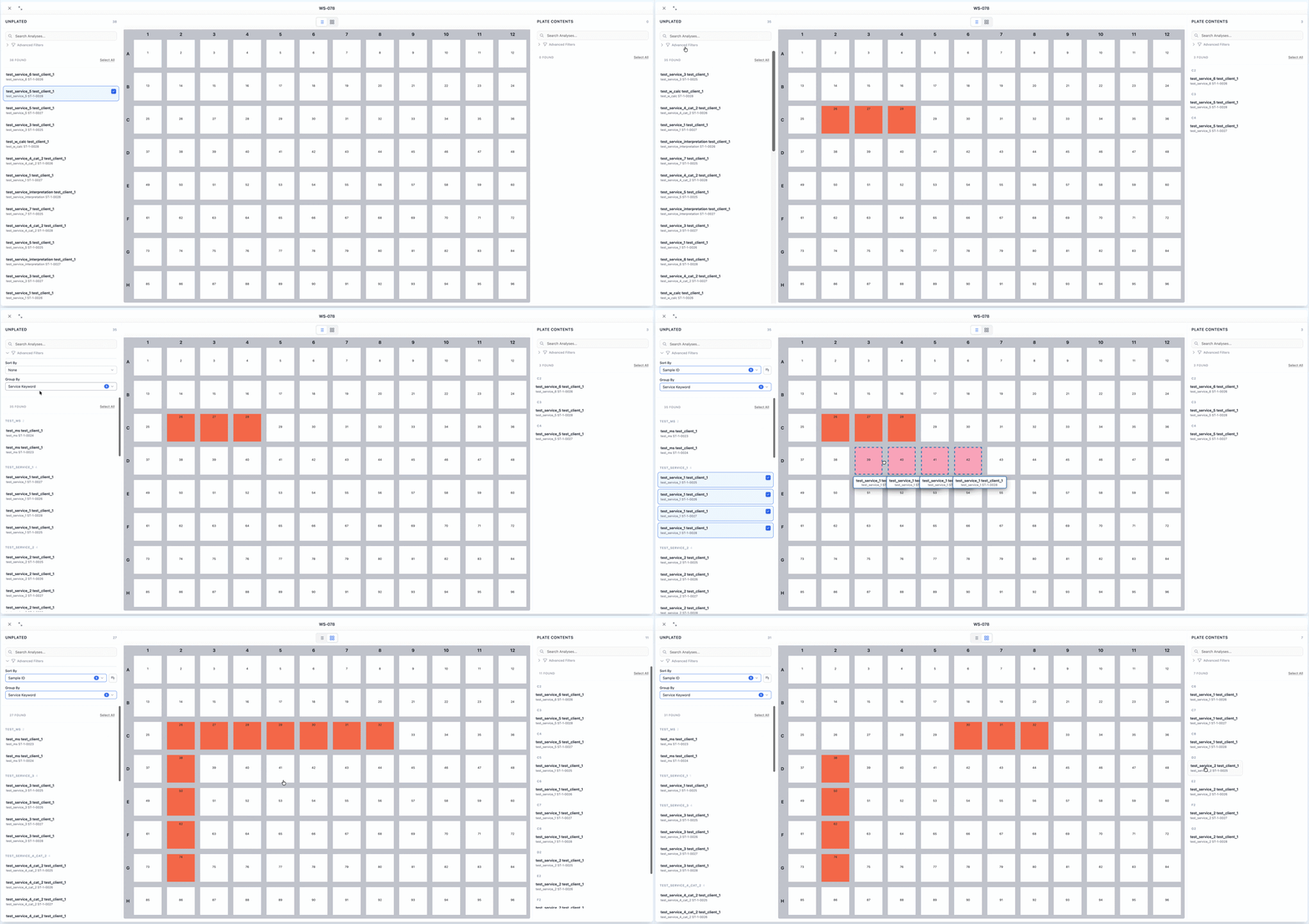
This add-on is designed for laboratories working with multiwell plates (microplates, microtiter plates, microwell plates, including 96-well and 384-well formats). Our initial use case came from two genetics labs performing commercial testing for humans and animals, so we believe it can be especially useful for PCR, qPCR, and RT-PCR labs, as well as other high-throughput environments using instruments such as the Bio-Rad CFX96 Touch Real-Time PCR Detection System, Applied Biosystems QuantStudio 5 Real-Time PCR System, Roche LightCycler 480 Instrument II, or Agilent AriaMx Real-Time PCR System.
In many labs we’ve worked with, the typical workflow looks like this: samples are received, DNA/RNA is extracted, and then plate layouts are designed separately (often in Excel or proprietary instrument software). Samples are manually placed onto plates and processed on PCR or qPCR machines. One of the key challenges in this process is the lack of a clear link between analyses in the LIMS and their physical position on the plate—making automated data exchange with instruments difficult.
This add-on addresses that gap by extending the worksheet object with the ability to store a well position for each analysis directly in SENAITE, enabling better integration with PCR/qPCR workflows and plate-based assays.
Usage of the add-on is simple and straightforward:
Step 1
Create a worksheet template and enable multiwell functionality in the “Multiwell Plate” tab.
Step 2
Configure plate settings and rules:
-
Define plate dimensions (e.g. 96-well, 384-well plates)
-
Add computed fields to pass along with each analysis (e.g. sample type, assay type, annealing temperature, Ct-related metadata, client name, etc.)
-
Set analysis positioning rules (JSON-based). These rules are evaluated when assigning analyses to wells, allowing flexible and even complex placement logic. By default, assignment is allowed only to empty wells
Step 3
Create a worksheet using the configured template.
Step 4
Assign analyses to the worksheet, then use the add-on’s sorting and grouping features to drag and drop analyses into the desired wells.
Step 5
Export or print the plate layout:
-
Print a layout for manual lab work
-
Or implement an export interface to generate files for your PCR/qPCR instruments directly from the worksheet (e.g. Bio-Rad, Applied Biosystems, Roche, Agilent platforms)
We already have ideas on how to further improve and extend this add-on, but we’d really appreciate feedback from the community—especially from labs running PCR, qPCR, RT-PCR, or other plate-based high-throughput assays.
Looking forward to your thoughts!